

On most modern Android and iOS phone browsers, there is an ability to add a website to your home screen, for easy access without having to open your browser and type in the URL every time you’d like to visit it. Here are the steps to do this for yourself. They may vary depending on what version of the Android or iOS operating system your phone is currently running.
Android/Google Chrome
Step 1:
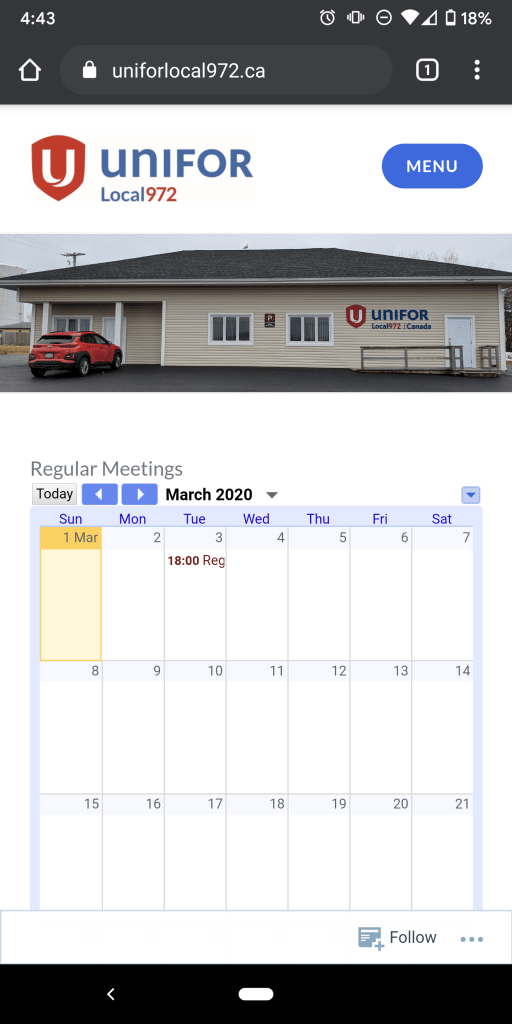
Open the Unifor Local 972 website in Google Chrome.
Step 2:
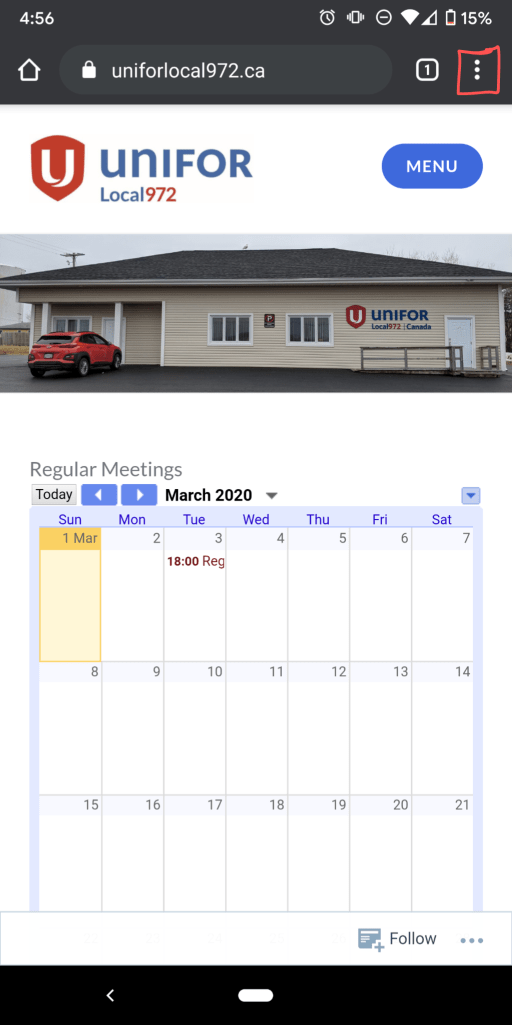
Select the 3 dot menu (highlighted in red below).
Step 3:
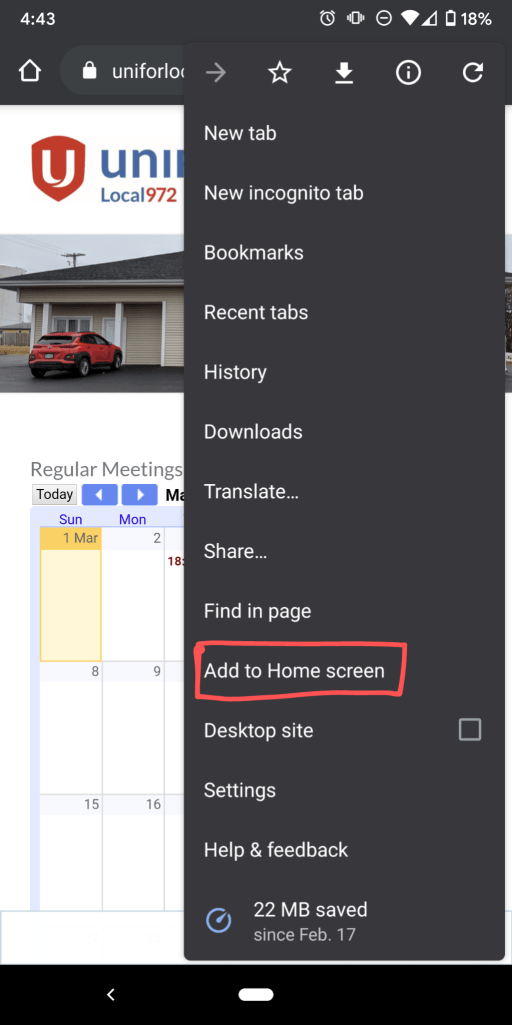
Select the “Add to Home screen” option from the menu.
Step 4:
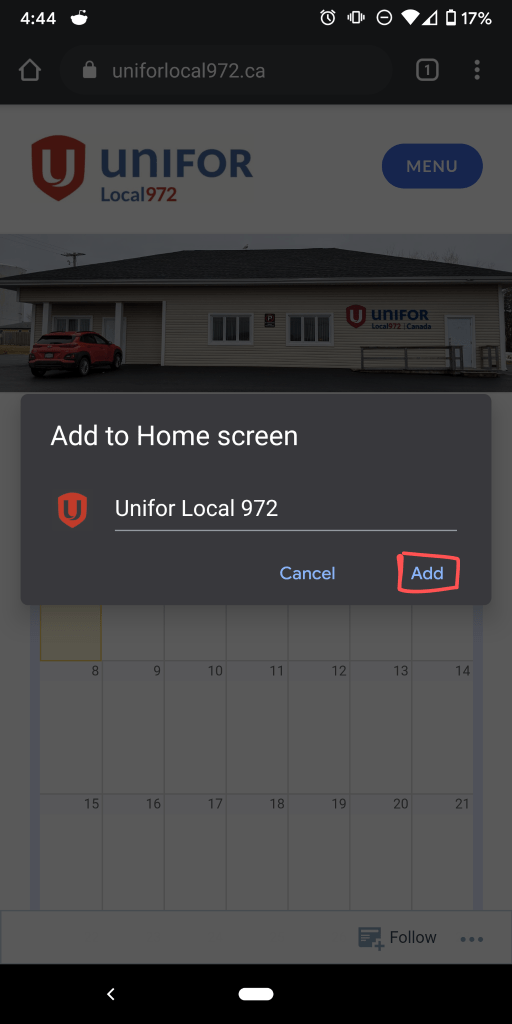
Leave the default name, or insert your own and then select “Add”
Step 5:
Touch and hold the icon to place it where you’d like to be on your phone’s home screen, or select “Add automatically” to have it automatically placed in the next available spot.
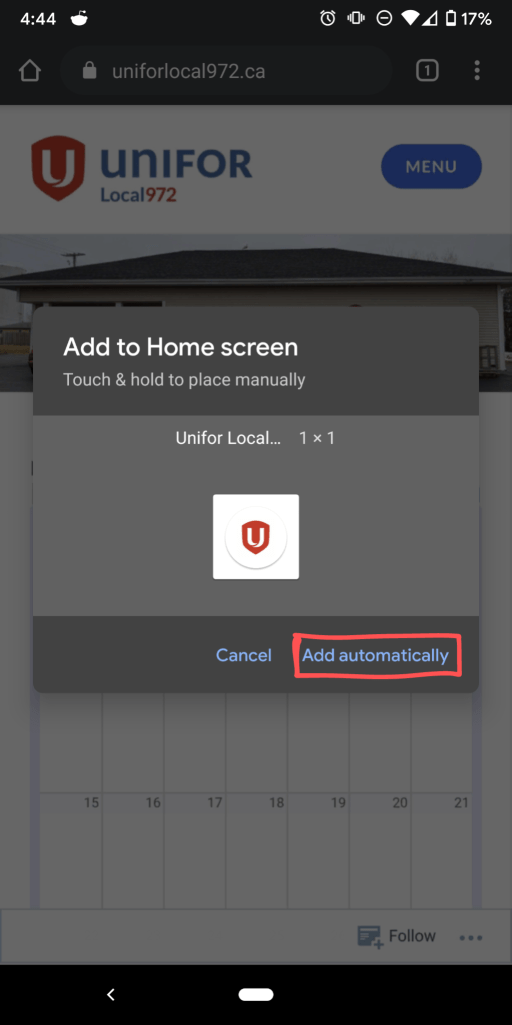
You should now see the Unifor logo on your phone’s home screen as shown below and can now tap on that for instant access to the Unifor website whenever you’d like it.
 Unifor Local 972